01 · FF&E · Counts
From hundreds of marks to a focused review.
Teach several furniture types, review proposals and export quantities by category and floor.
View exampleTakeoff on PDF drawings
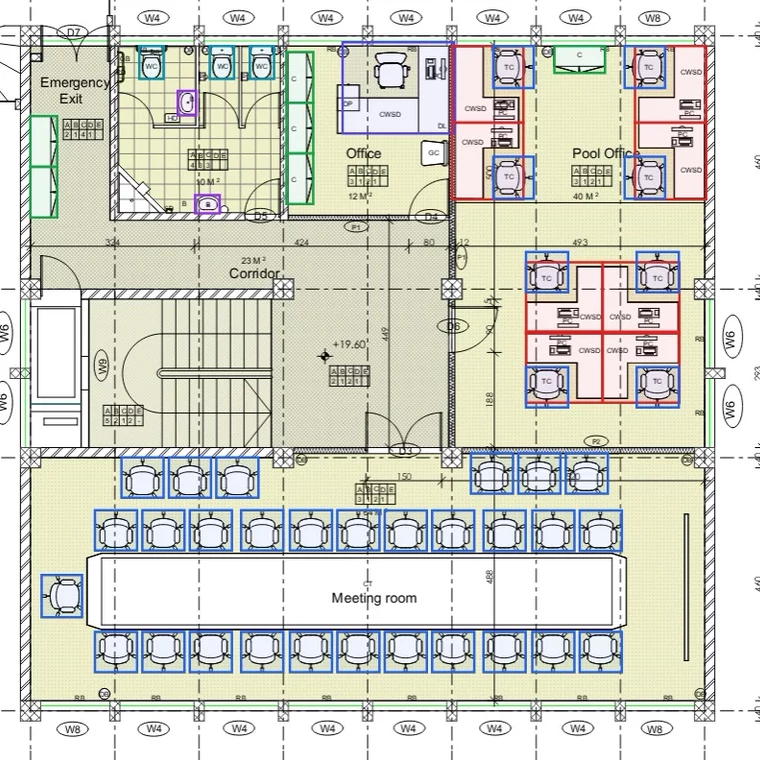
Mark one example of each element. Langran proposes similar elements on the drawing, you accept or reject each one, and the quantities are ready to export.
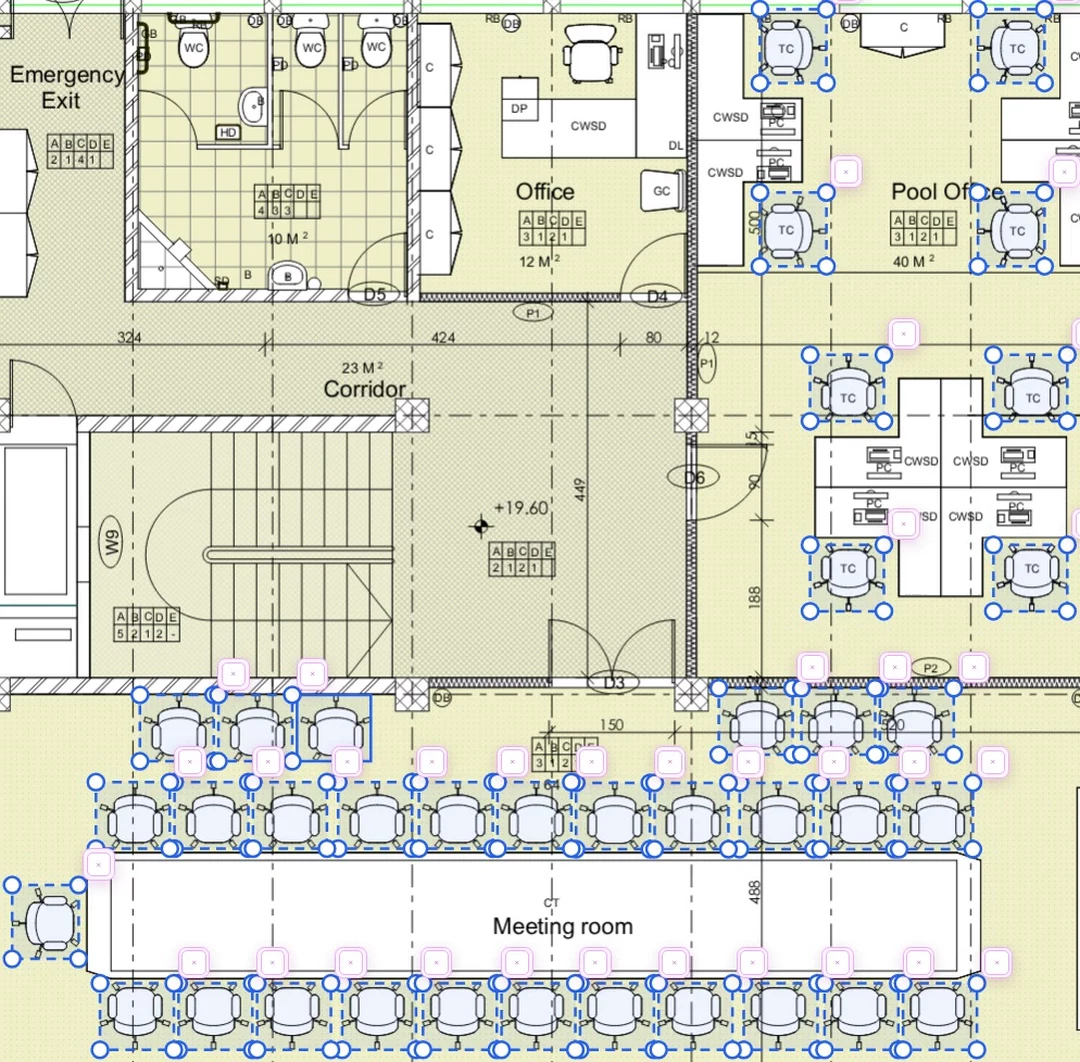
Nothing counts until you accept it.
On this drawing: 37 chairs and 6 walls · 2 examples and 41 accepted proposals.
How it works
Draw one example of each element on the plan: a chair, a wall, a socket, a conduit run.
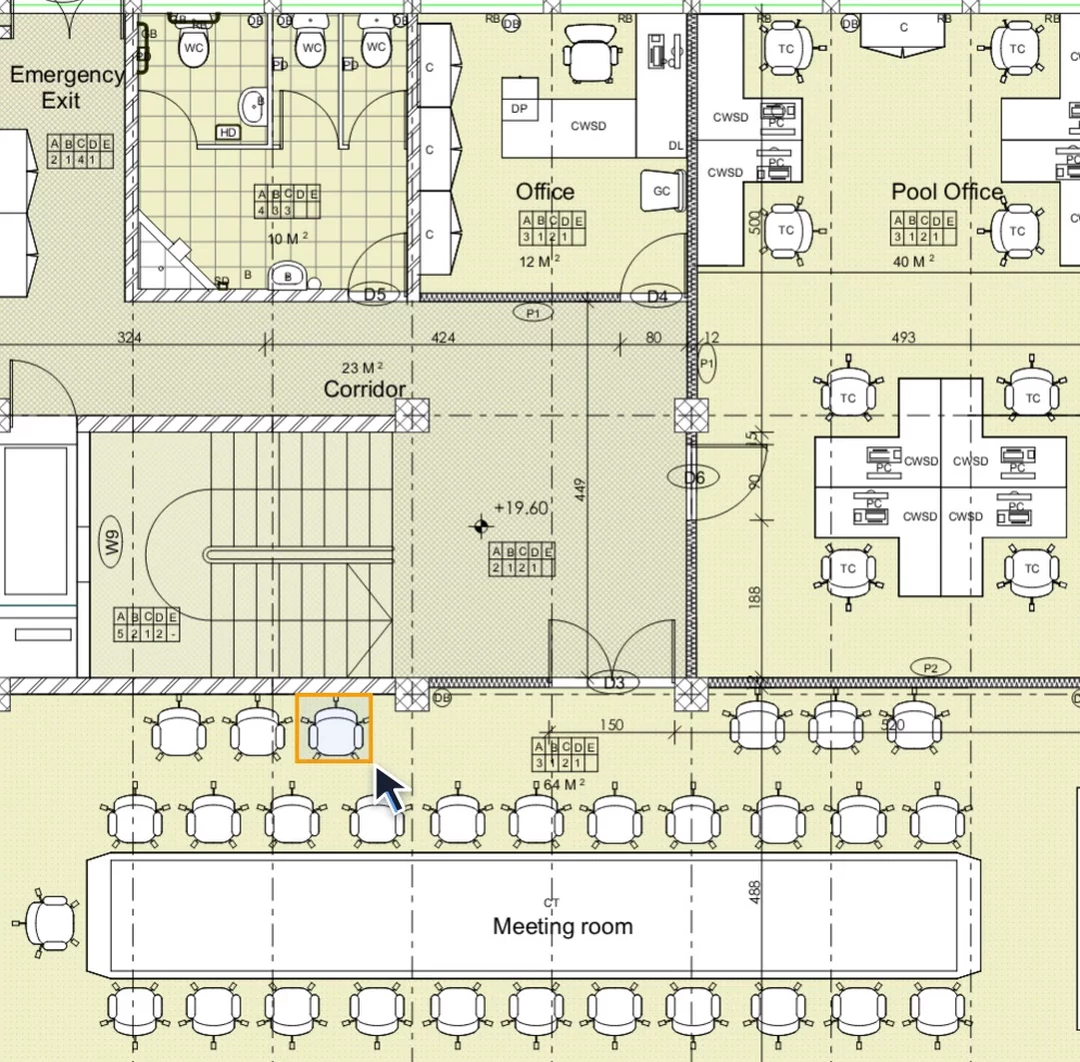
Langran proposes similar elements on the drawing. Accept, correct or discard them: nothing counts until you do.
Counts, lengths and areas by element, page and total, ready for your spreadsheet or estimating software.
| Room | Chairsea | Tablesea | Floorm² |
|---|---|---|---|
| Office 1 | 4 | 2 | 18.40 |
| Office 2 | 2 | 1 | 14.60 |
| Meeting room | 12 | 1 | 32.80 |
| Total | 18 | 4 | 65.80 |
One tool, many trades
01 · FF&E · Counts
Teach several furniture types, review proposals and export quantities by category and floor.
View example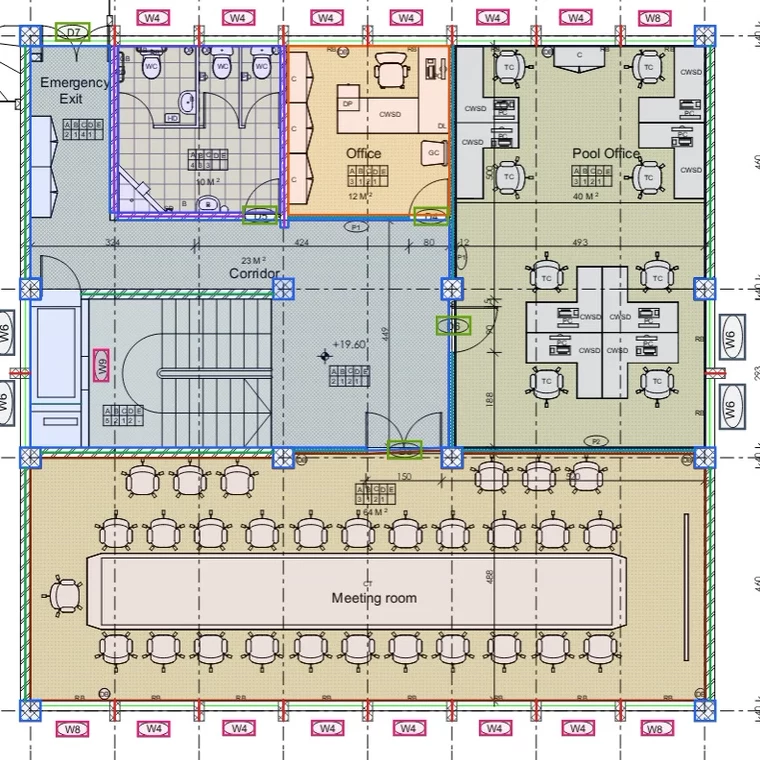
02 · Structure · Counts and rooms
Mark one pillar, one wall of each type, one window and one door; Langran proposes the rest, and each room fills up to its walls with a double click.
View exampleWhy the numbers hold
You decide what to measure and how to name it. No fixed catalogue to adapt to.
Every proposal waits for your review. Accepted, corrected and discarded ones are all recorded.
Every quantity links back to the page and the geometry it comes from.
Built around your process
We look at your drawings, your items and what you deliver, and show you where Langran saves the most time.